Insights: managers and employees prepare reviews with real examples
Role
UX Designer
Duration
Jan 2025 – May 2026
17 months
Tools
Figma · FigJam
Outcome
Live in Learned
web, mobile and Smart fill
Intro
Learned is a performance management platform. Managers and employees use it for 1:1s, goals and reviews. A good review needs real examples: what someone actually did, said or delivered in the past months.
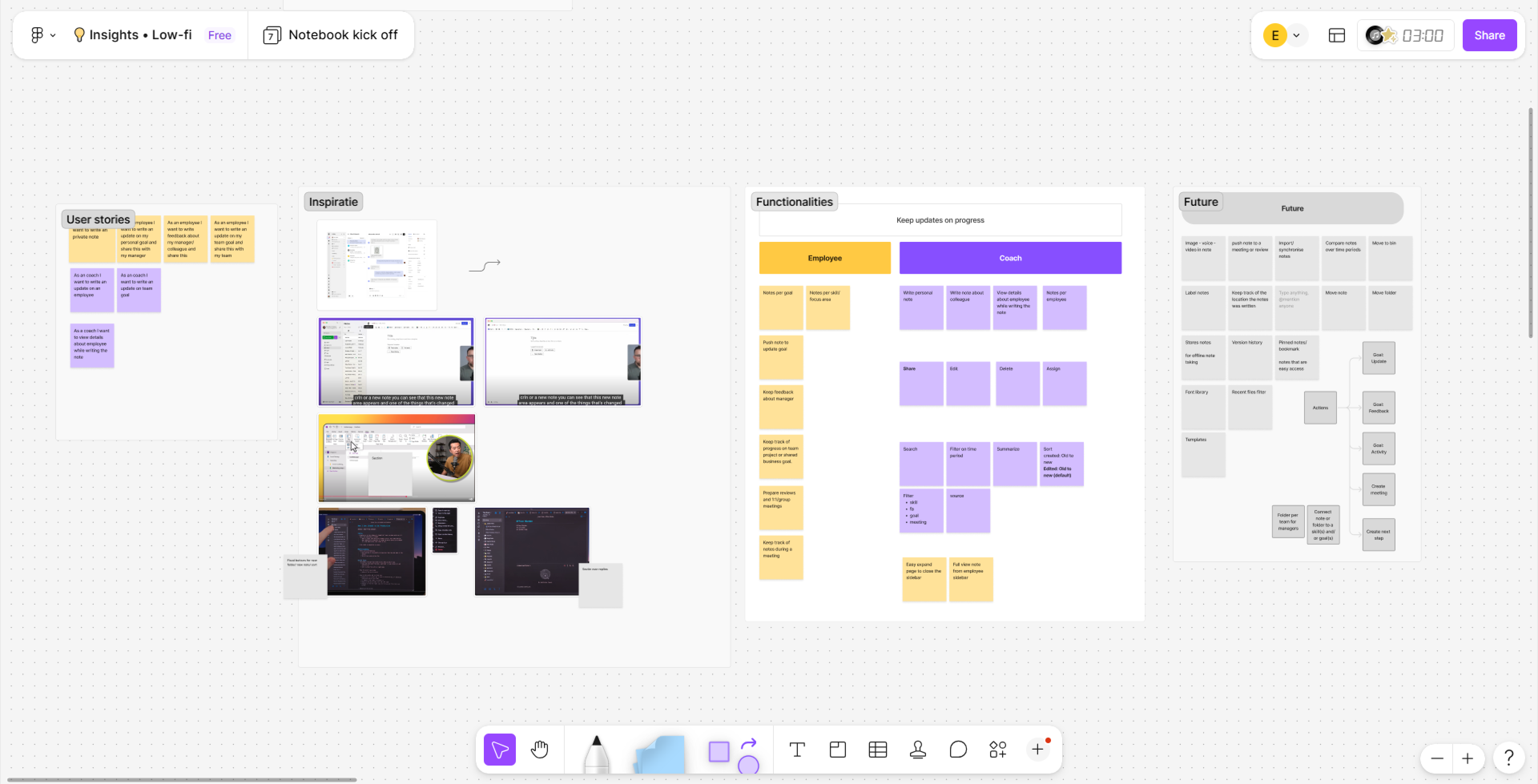
This project started with a clear, scoped assignment: offer notes in Learned in a better way. We kicked it off with our product owner, who led the session, and the Head of Product. But along the way, we learned more about users' needs and pain points. To really solve them, the project grew much bigger than a notebook.
The kick-off board
The problem
When a review came up, managers and employees had to dig up examples from memory. The notes they did keep were scattered across text files, Excel sheets and OneNote. Everyone had their own system, and nothing lived in Learned.
For users, that meant reviews built on vague impressions instead of real behaviour. And managers complained about how much time it took to prepare reviews. For Learned, that was a business problem too: a platform that makes reviews feel like a chore is hard to sell.
As we dug into these pain points, we saw a chance. With new AI technology, notes could help fill in the review itself. But that needed data about employees first.
My approach
1. First, a notebook that really works
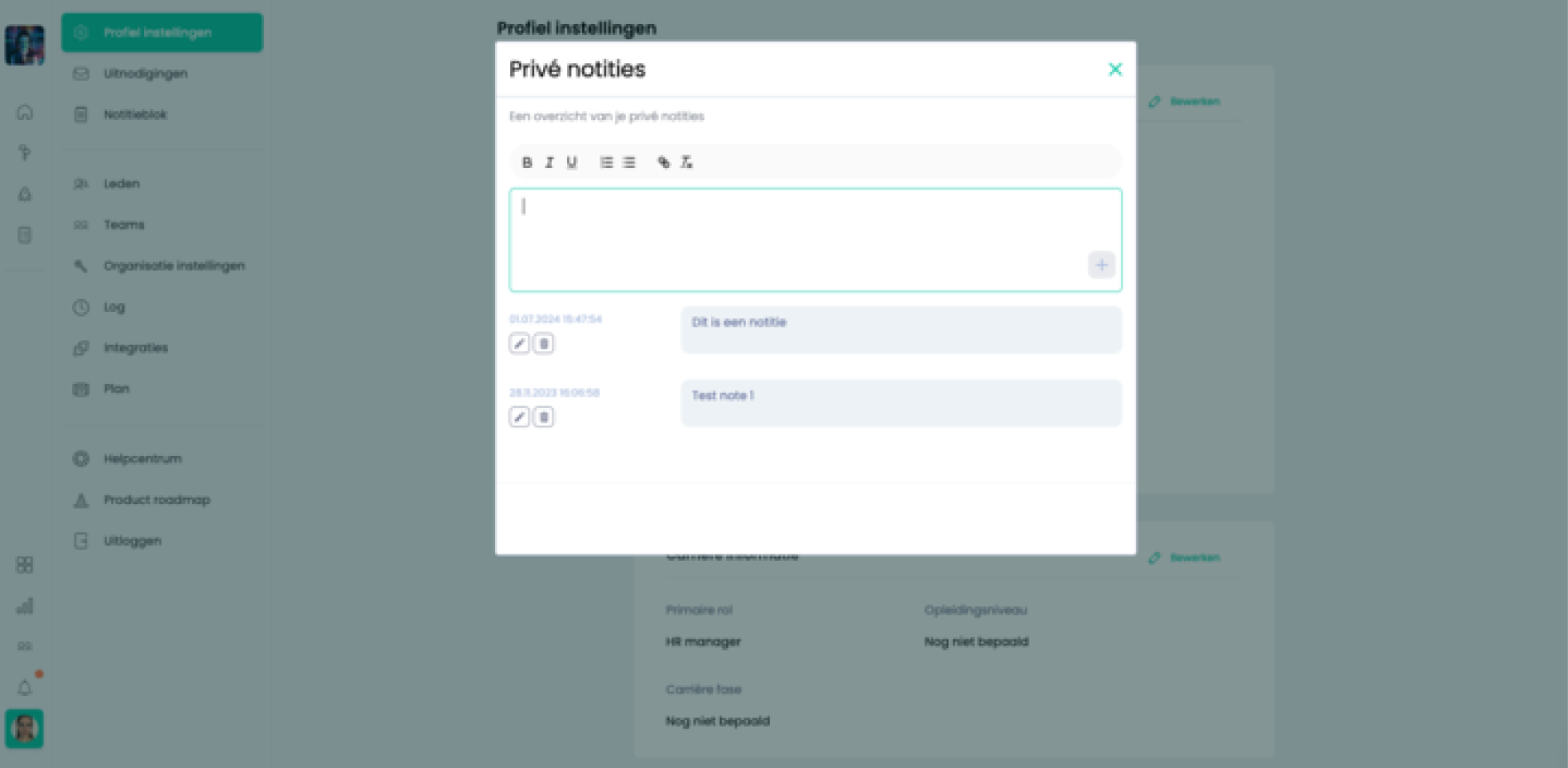
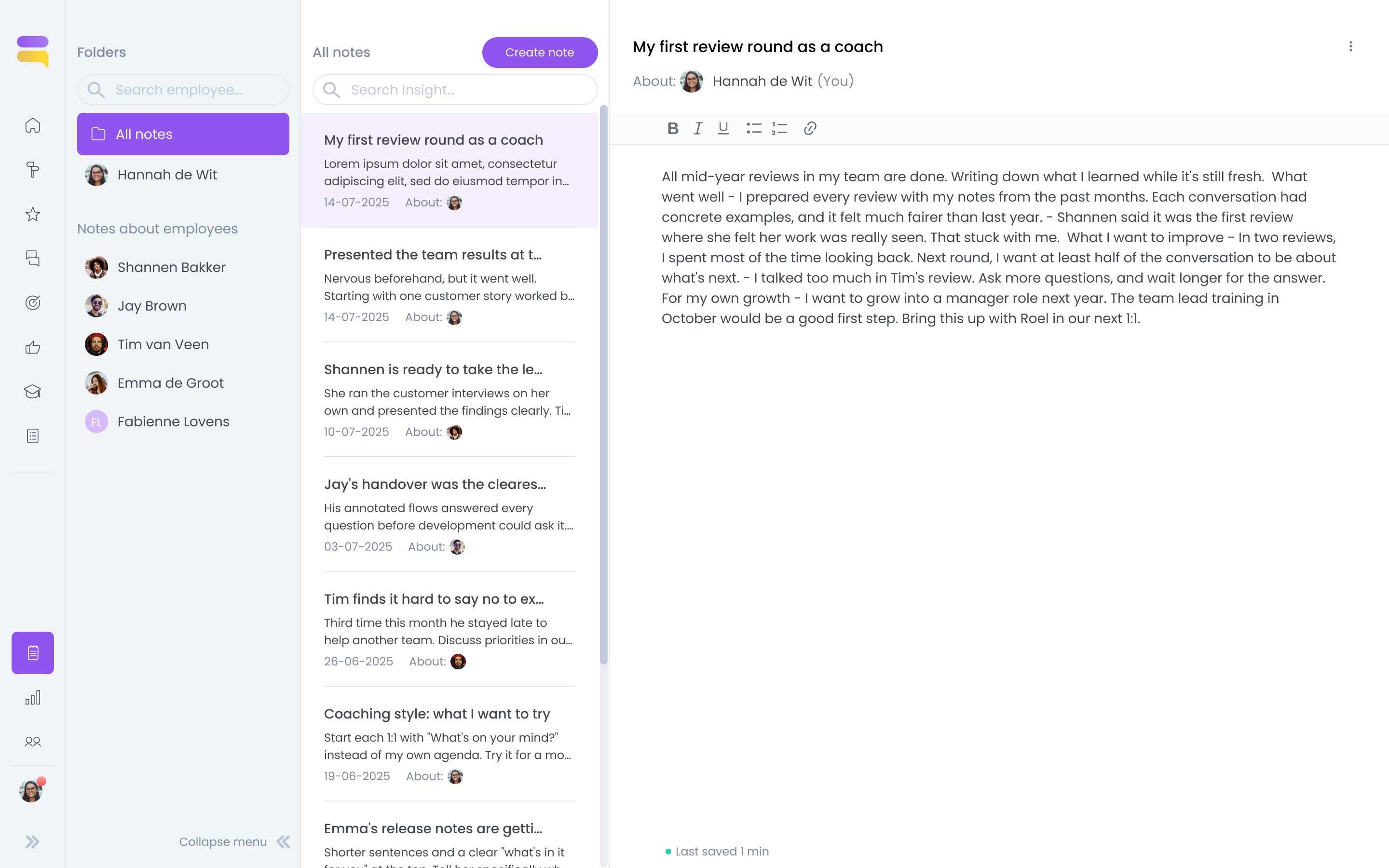
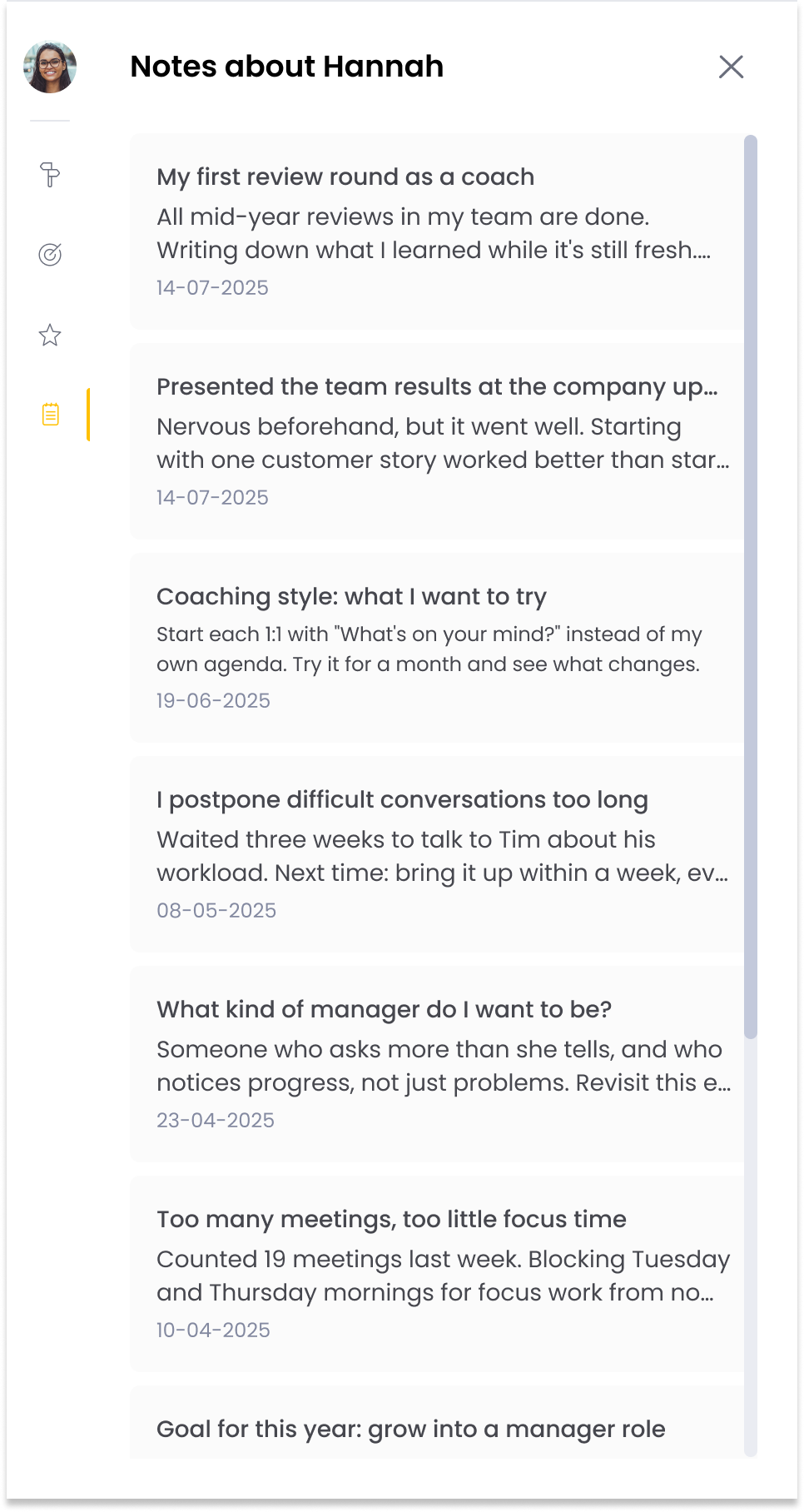
Learned already had a simple notebook. With a hard deadline (v1 by the end of May, in time for the mid-year reviews), we started there. I interviewed users, designed a new version and tested it. The notebook got a findable place, logical folders per colleague and search. It also connected to the other modules, so you can see and add notes from a 1:1 or a review.
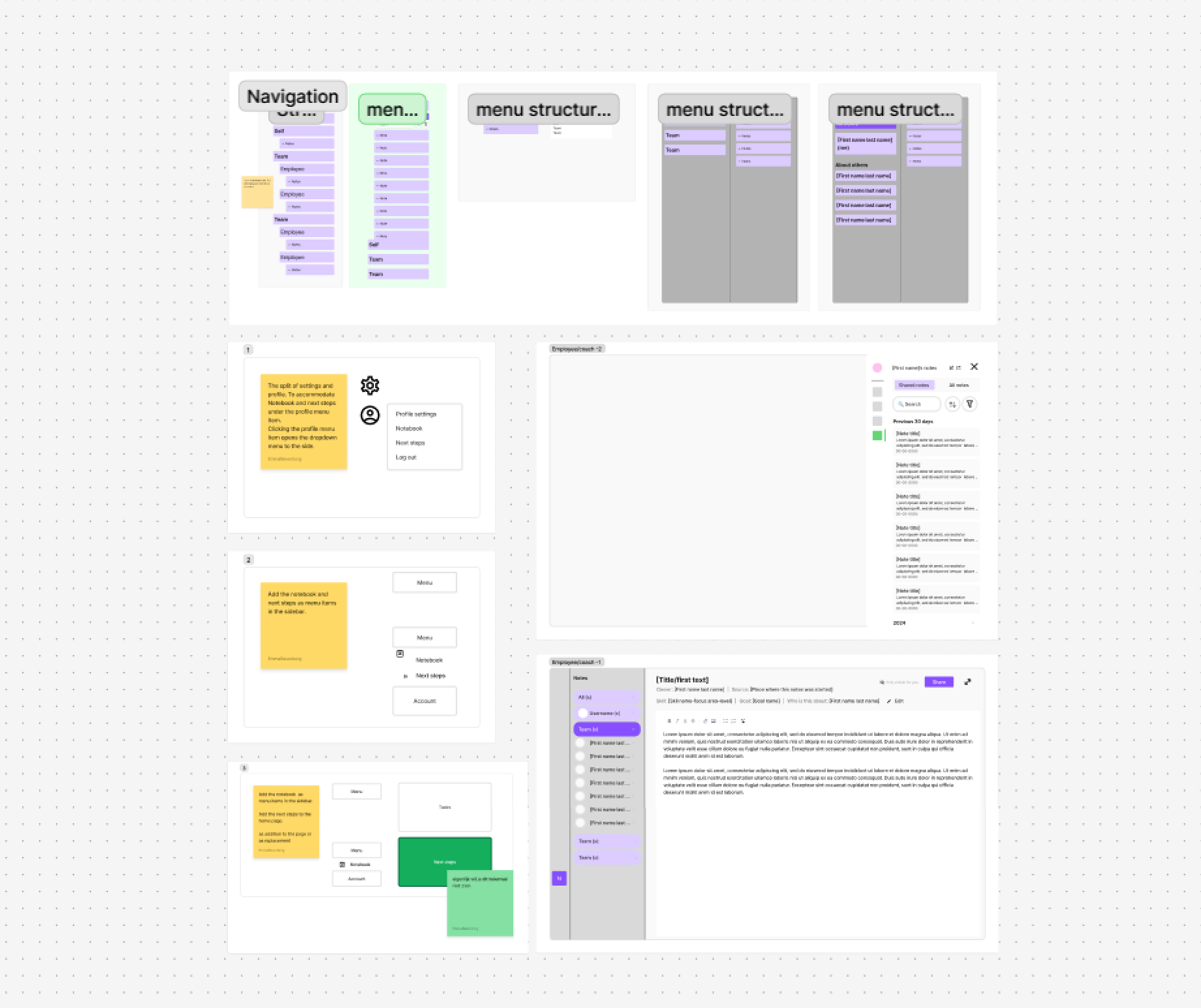
The old notebookSketching where notes should live
The redesigned notebook
2. Sharing, shaped by feedback
Feedback on that first version quickly led to sharing and replying. In interviews, users wanted control per person: their manager may read a note, another colleague maybe not. So I designed two roles: view only, and comment. Edit rights didn't make the cut. If someone else can change your note, you no longer know who wrote it, so a comment works better. Several people editing at once was also technically hard.
Sharing solved another pain point too. When a manager leaves, the new coach can still read the notes, while the original writer stays visible. In the design review, Sales asked: “Then can we replace real-time feedback with this?” We could.
3. The turning point: from notes to insights, via an inbox
A better notebook still asks users to come to Learned and write. And in my interviews, the same thing kept coming up: people already keep notes, just somewhere else. So we flipped the question. Not “how do we build a better notebook?”, but “how do insights reach Learned from the places people already work?” Notes became insights.
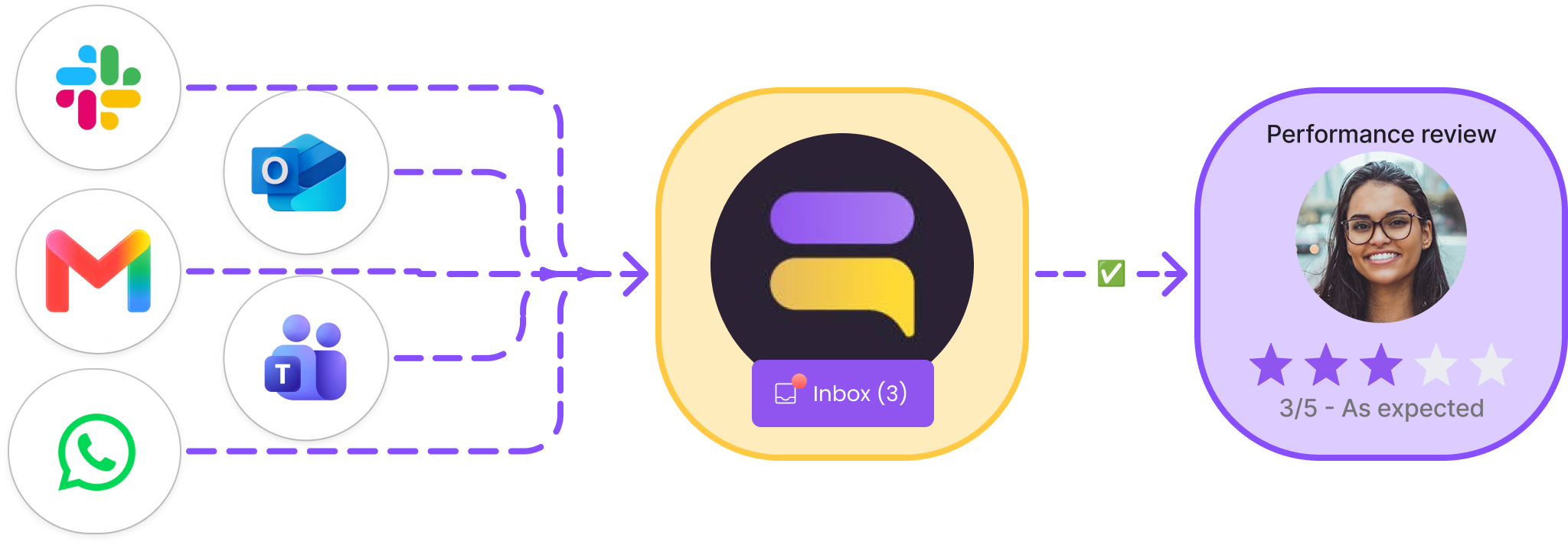
We looked at where feedback piles up without anyone noticing: in everyday conversations between colleagues. That turned out to be the channels companies already use, like Slack, Teams and email.
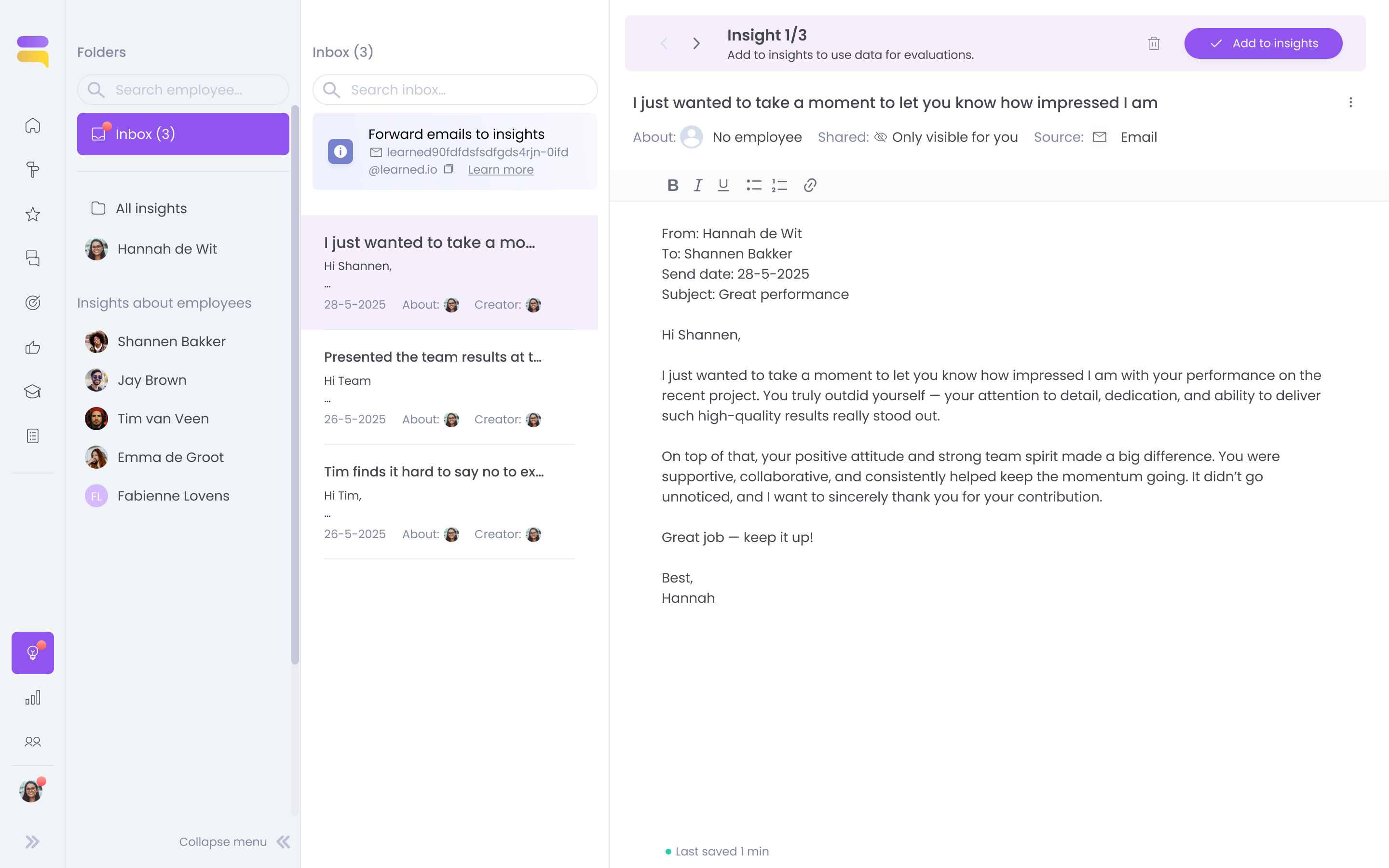
To get those insights into Learned, our Head of Product came up with an inbox, inspired by an idea he’d seen in accounting software. I designed it. Forwarded emails, messages from Slack, Teams or WhatsApp, and insights AI suggests from 1:1s and goals all wait there. Only what you accept becomes an insight. I took it through three versions in about a week.
I tested the concept in user interviews, and users saw the value right away: “Then you have it in Learned straight away.” Customer Success asked for bulk actions, an archive and a red dot for new insights. Sales questioned a single “accept” button when ten insights arrive at once.
Insight approve flow iterations
3 versions
It was unclear the action belonged to the insight on display, and bulk edit was more than this moment neededThe info banner style fit the overall design better, but there was no logical workflowA clear flow to work through the inbox, always showing where you are
Inbox pageA home page item shows how many insights in the inbox still need action
4. The payoff: Smart fill
I designed Smart fill: you open your review form, click Smart fill, and the answers are already there, based on your insights. You only check them.
I tested it in interviews. Users were suspicious: “Can you see what the answer is based on?” One thought an answer was generic, simply because no source was shown. So every answer now shows the insights it came from. One user summed up the value: “Good texts from keywords. This solves a big problem.”
From where people work, via the inbox, into the review
5. Capturing what's said out loud
Not all feedback is written down. Sales kept hearing that employees on the work floor, who only use the Learned app, wanted an easier way to capture insights. And many colleagues hold their 1:1 on a walk, without a laptop. For moments like these, recording and transcribing was clearly the best way to go.
So we brought speech-to-text, which we’d already built for other parts of the web platform, to insights on mobile. My colleague Sophia and I designed the app flow together. Technical research showed that transcribing live, while you speak, worked best. It’s also the better experience: you see right away that the recording works.
Recording on mobile, transcribed live while you speak
6. What's next
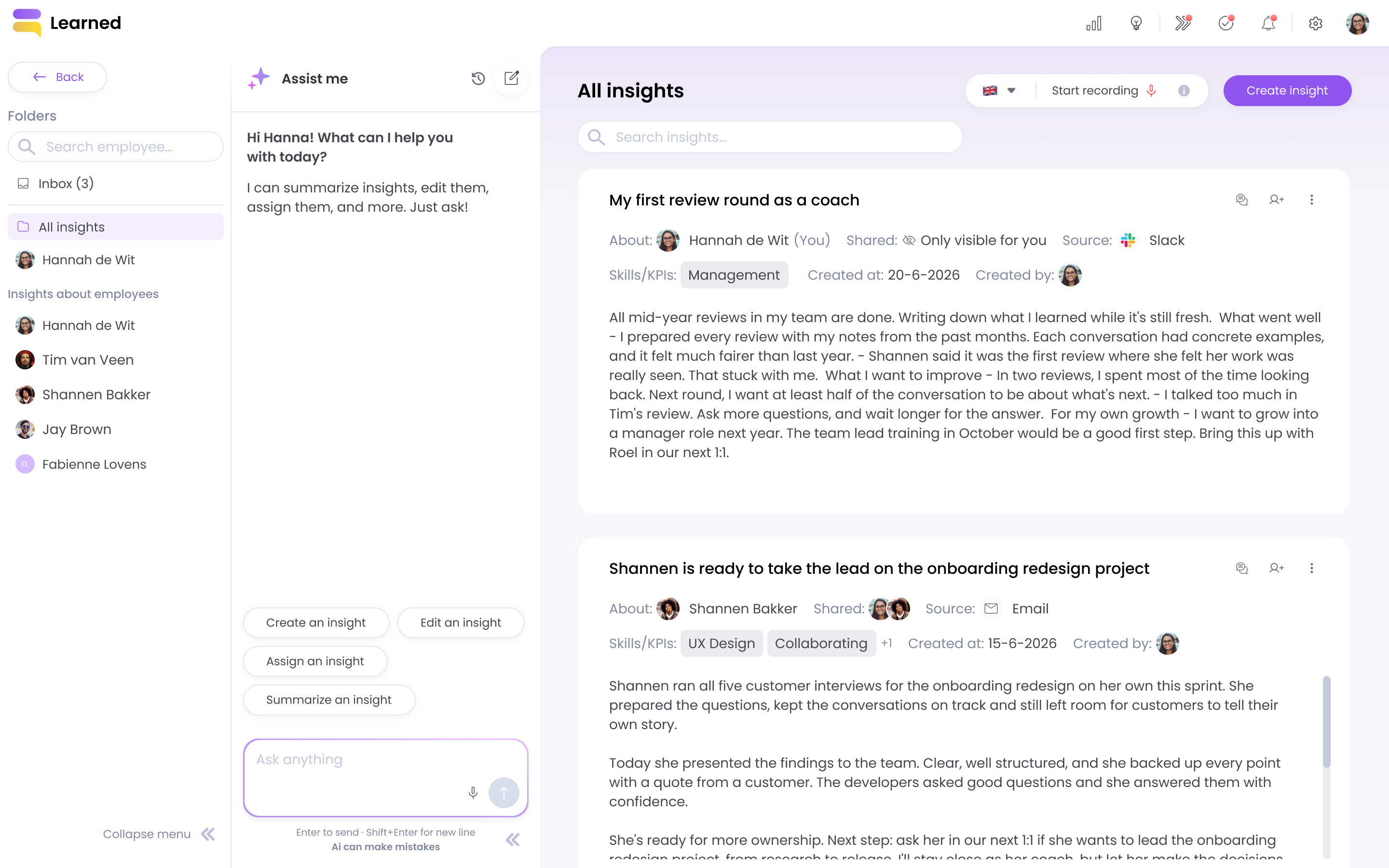
I made a new design for the Insights page: simpler, with room for conversational design. Together with my colleague Sophia we designed the recording flow in it. This design isn't live yet.
The new Insights page, with room to create, edit, assign and summarise insights through conversation
The result
I designed the module for both web and the mobile app. What went live: insights per colleague with share and reply, an inbox for email, Slack, Teams, WhatsApp and AI suggestions, voice recording on mobile, and Smart fill. My colleague Dylan added a feedback prompt that asks you to send in feedback from your own communication tool.
The real “aha” came with Smart fill. Once users saw their insights turn into review answers, it was clear why keeping track is worth it. Our CS colleagues hear that users now use insights more, and customers with the AI features are especially happy with the concrete examples in the comments. The critique is about how those comments are worded, and how insights are interpreted for each question. We keep working on making that more accurate.
Reflections
What I'm happiest with is how far we took a very ordinary concept. Keeping notes grew into a modern way of managing and coaching, one that saves users time and makes reviews more objective.
I learned to start from the users' pain points, link them to a long-term vision and look at them across the whole platform. Then we rolled it out step by step, with priorities set together with the product owner.
Next time, I'd look beyond making it easier to get insights into Learned. For some users, the problem is that nobody records feedback or coaching at all. Looking back, users benefit a lot from a nudge to collect and send in feedback, like Dylan's prompt. I'd offer that much earlier in the project. The value of insights would show sooner, and Smart fill would give more relevant answers.
I'd also look more closely at how users really use it after each release, in numbers and platform data. That way we could have monitored it better, seen the effect and adjusted sooner.